Features
What Patiflo does, screen by screen
Patiflo covers an independent practitioner's day: from recording a consultation to following up its billing to the health insurance fund, with the export for the accountant in between. The screenshots below are in English; the application is identical in French and Dutch.
01 — Consultation
A consultation recorded in seconds
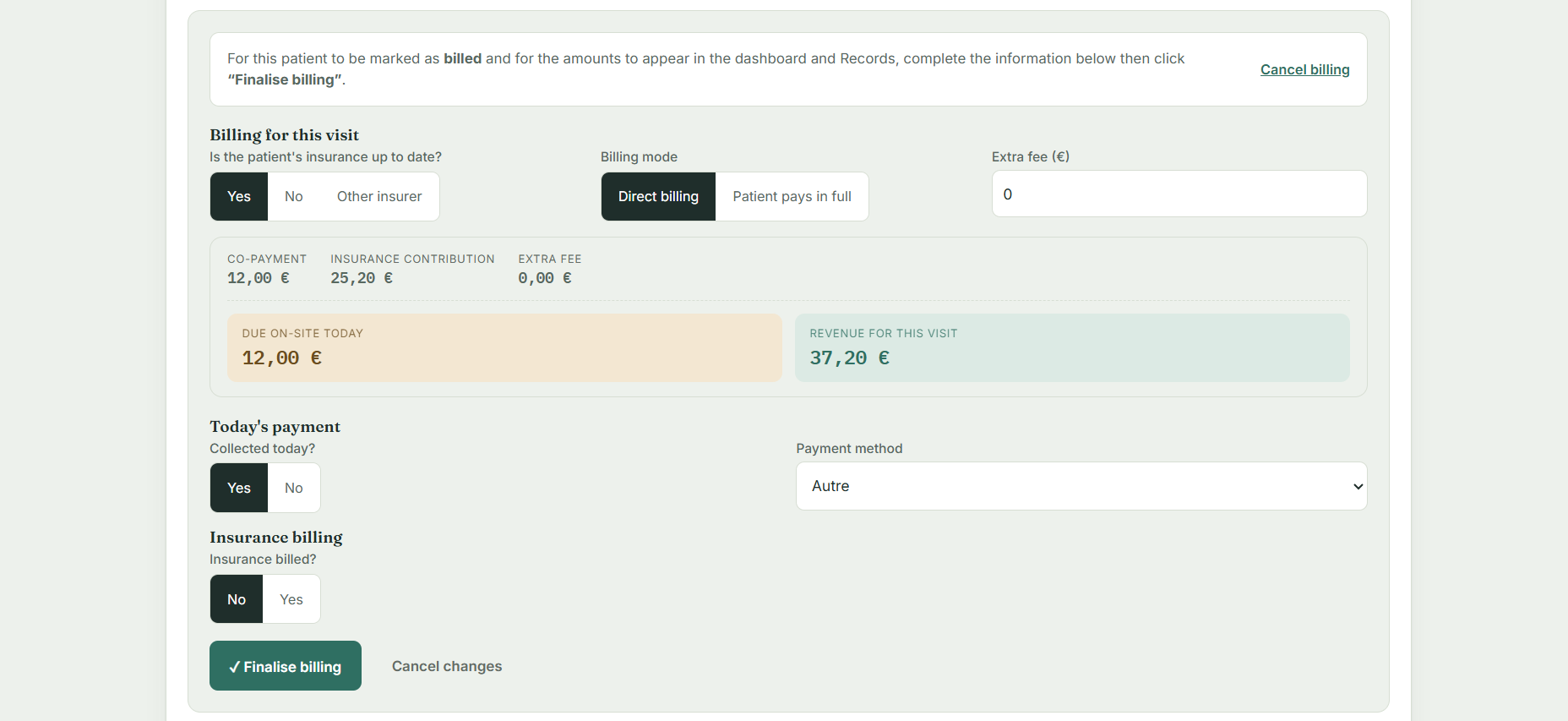
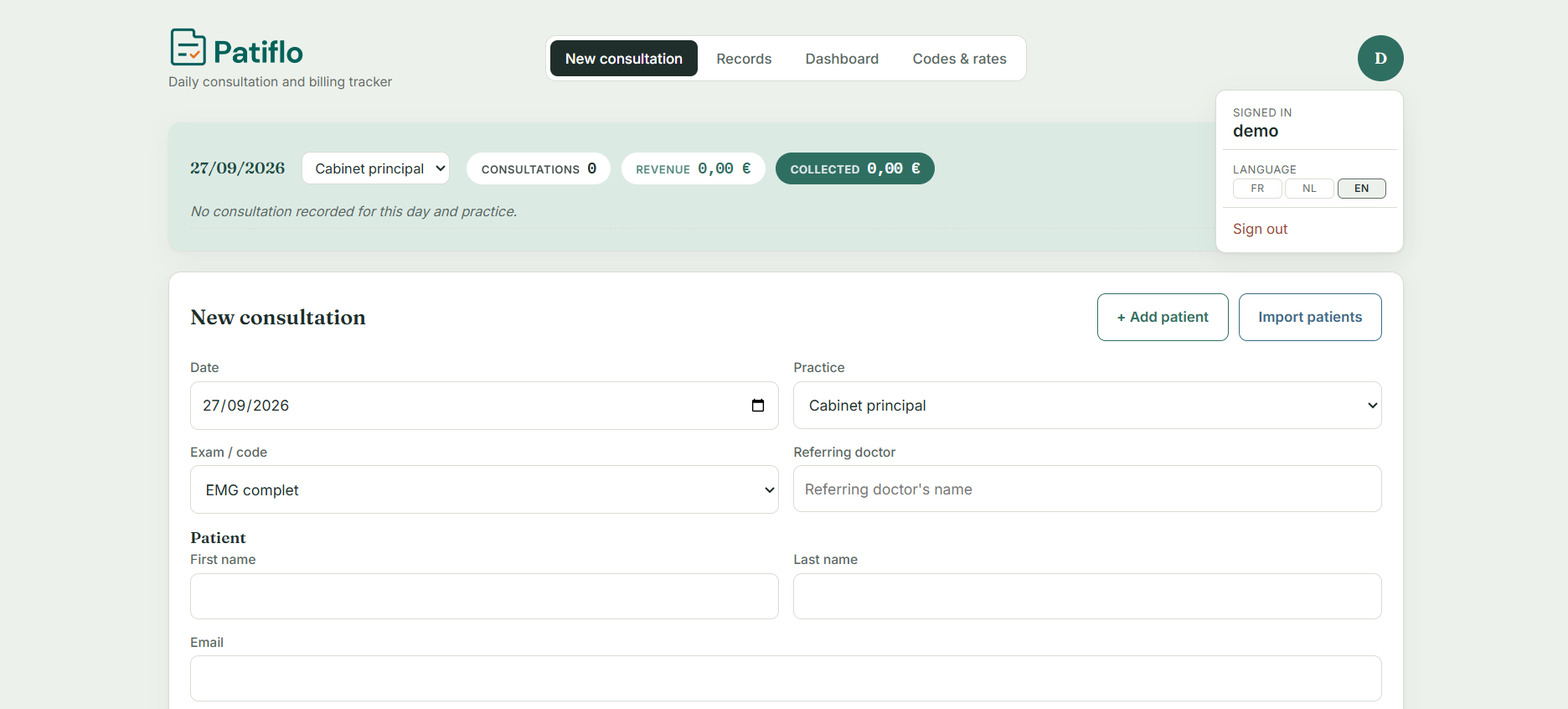
You pick the practice, the examination and the referring doctor. Patiflo applies your nomenclature codes and calculates the patient's own share, the insurance reimbursement and the supplement. The amount due on site and the revenue for the procedure appear immediately.
- Direct billing or "patient pays in full", in one move
- Patient covered, not covered, or insured abroad
- Payment taken that day and payment method recorded on the spot
- The insurance billing status is set from the moment of entry
02 — Reliable data entry
The mistakes that block a reimbursement, caught immediately
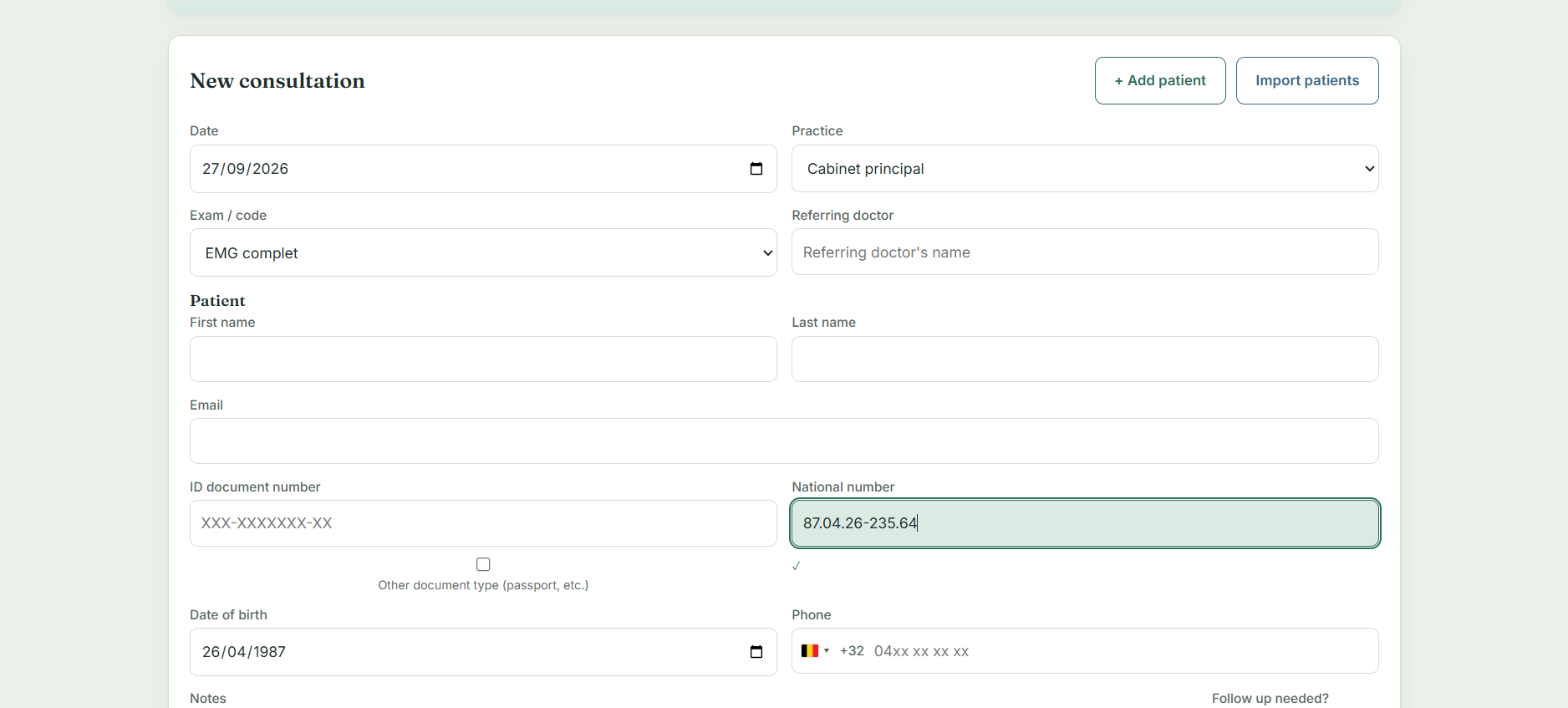
One transposed digit in a national register number, and your patient's reimbursement stalls weeks later. Patiflo checks the number as you type it, formats it, and derives the date of birth from it. The field turns green once the number is valid.
- Checking and assisted formatting of the national register number
- Date of birth derived automatically from the number
- Phone: country and dialling code recognised automatically
- Patients without a Belgian ID card: passport or other document accepted
03 — Register
All your consultations, across every practice
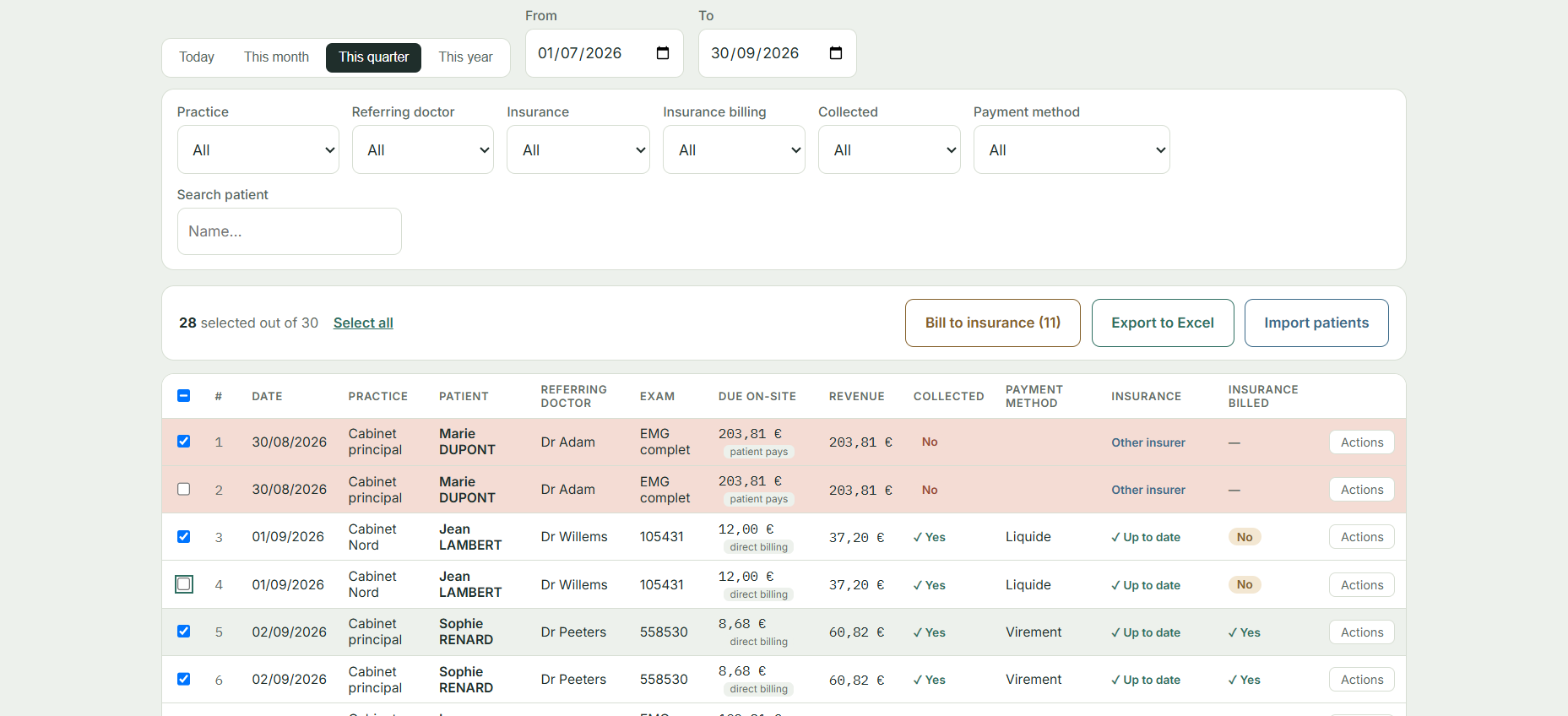
The register gathers your whole activity. You filter by period, practice, referring doctor, insurance fund, payment or payment method, then act on an entire selection rather than row by row.
- Ready-made periods: today, this month, this quarter, this year
- Search by patient name
- Multiple selection and bulk actions
- Unpaid or unbilled rows stand out visually
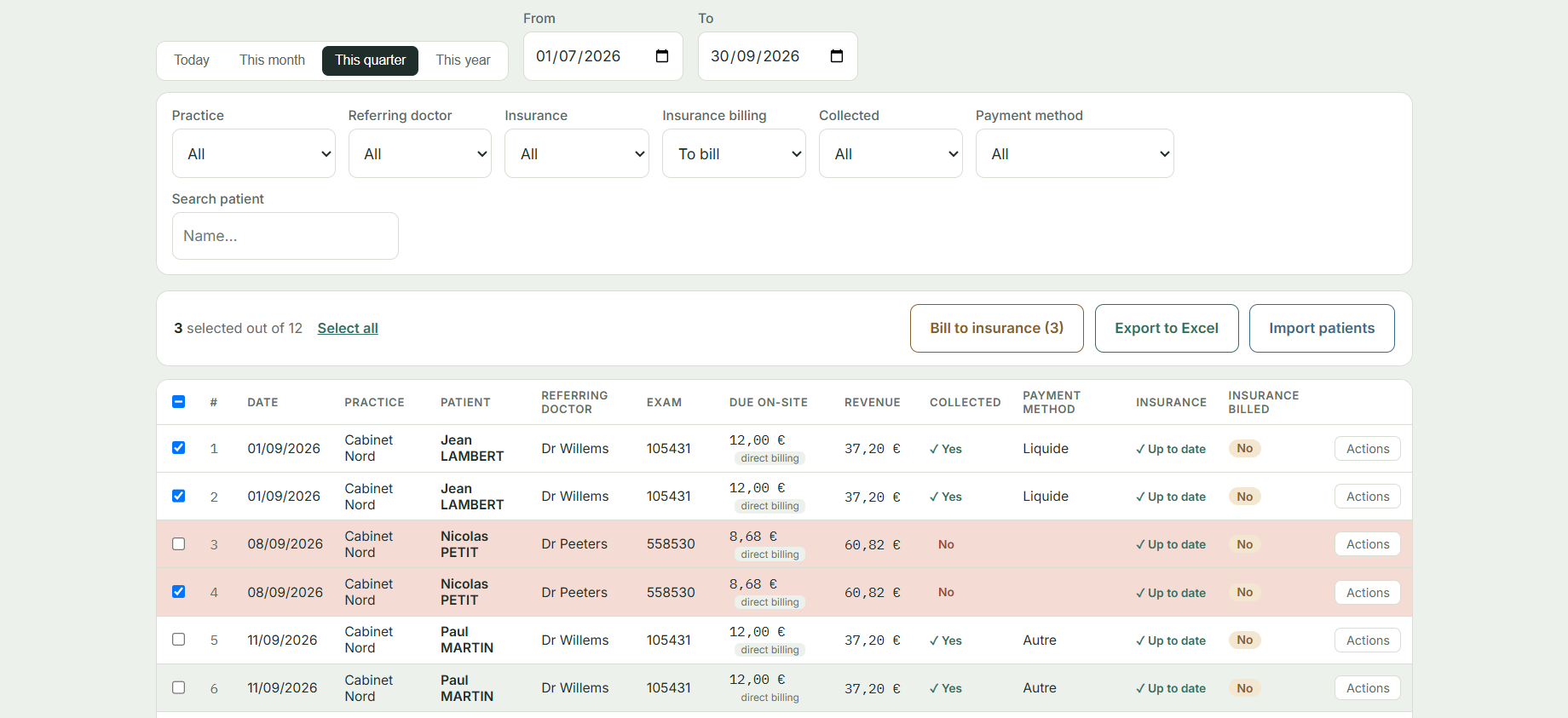
04 — Insurance billing
No longer forgetting what remains to be billed
This is the step that gets postponed, and the one that costs most when it is missed. The "to be billed" filter shows exactly the consultations concerned, over the period you choose. Once you have sent them, you update the whole selection at once.
- A billing status on every consultation
- A dedicated filter, combinable with period and practice
- Bulk update after sending
Patiflo tracks the status of your billing. Sending the claim to the insurance fund remains yours to do, through your usual channel.
05 — Import
Your patient list taken over, whatever calendar you use
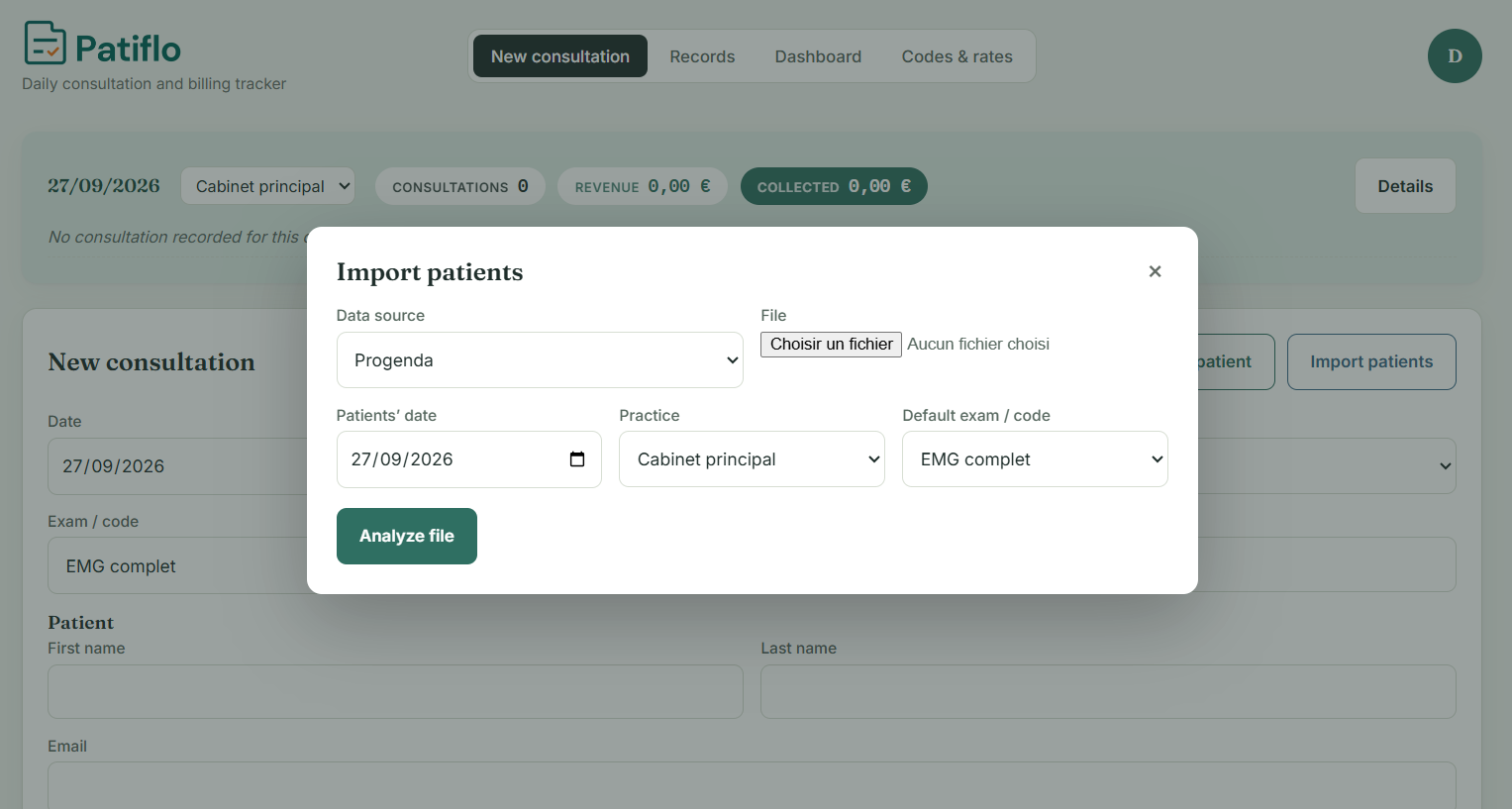
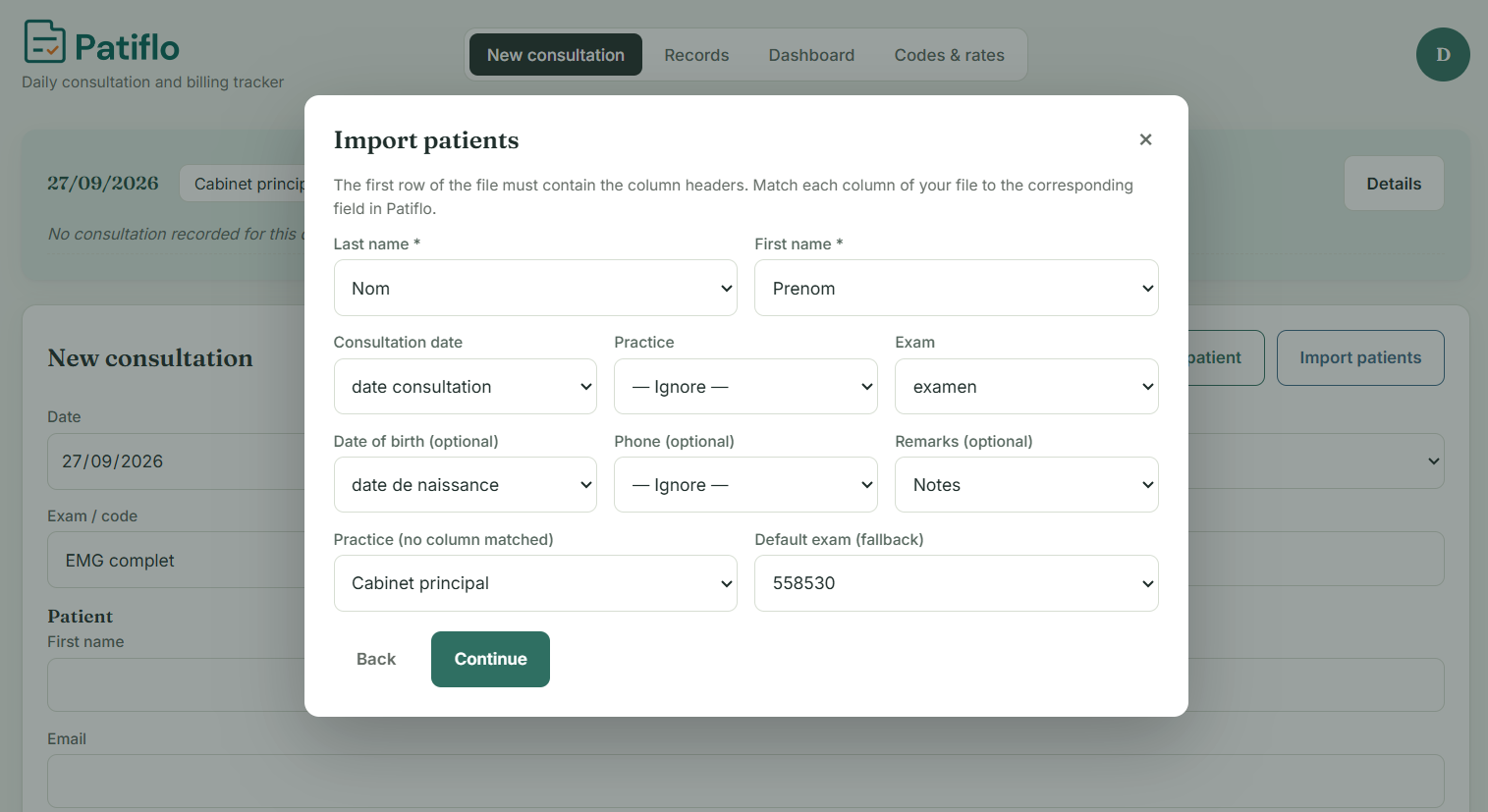
Every practice has its own scheduling software, and each one exports its lists differently. Patiflo does not ask you to change: you import an Excel file and indicate, once, what each column corresponds to — the obvious matches being proposed for you. For Progenda, reading the document is already automated end to end; other calendars are added as practitioners ask for them.
- Import of an Excel file, with column matching proposed automatically
- Automatic reading of Progenda documents, with no setup
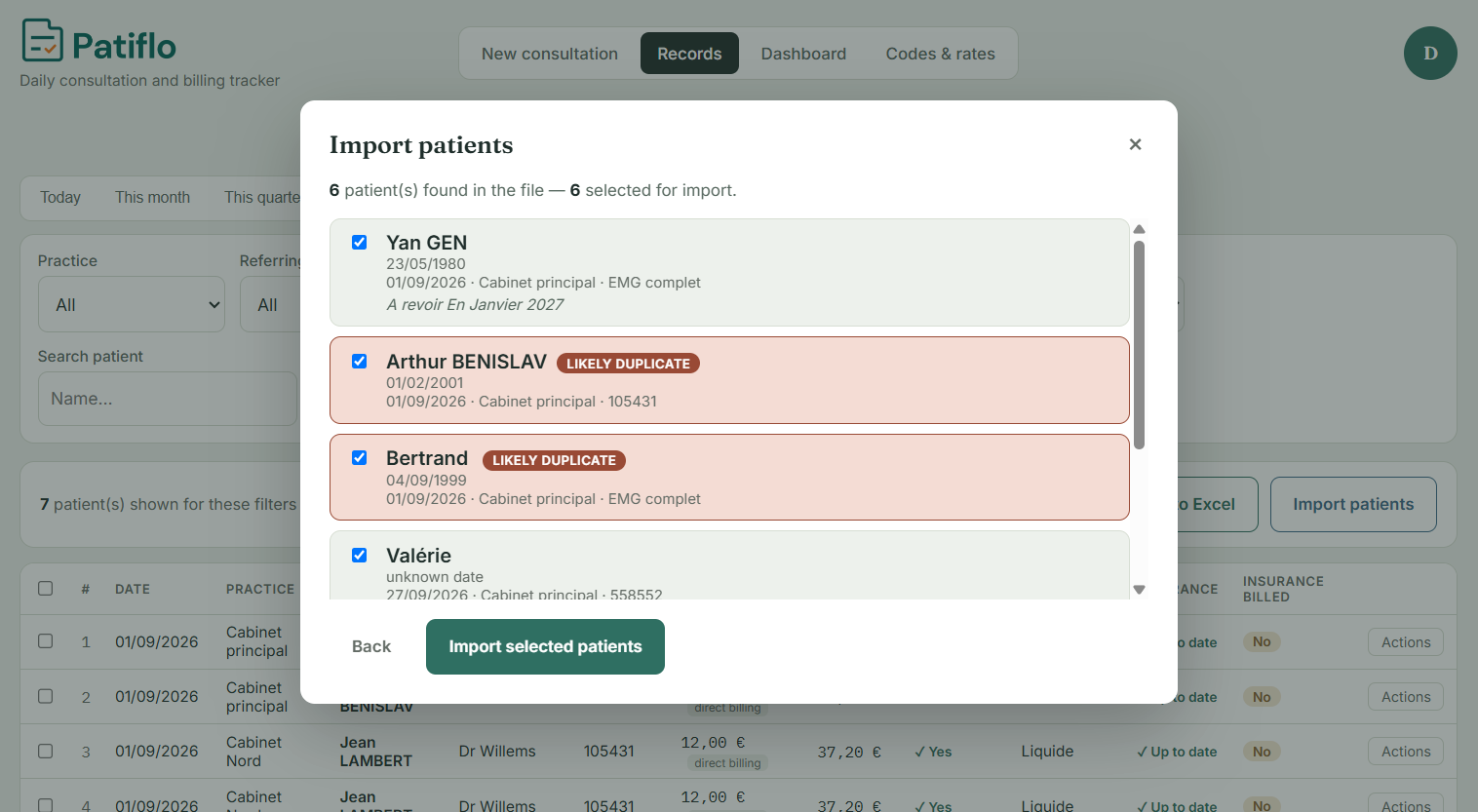
- A check before confirmation: duplicates flagged, document date verified
- Default practice and examination applied to the whole list
About 20 minutes saved on a list of 12 patients, according to the first practitioner testing Patiflo — at least an hour a week at that pace.
06 — Dashboard
Your revenue, without opening a single file
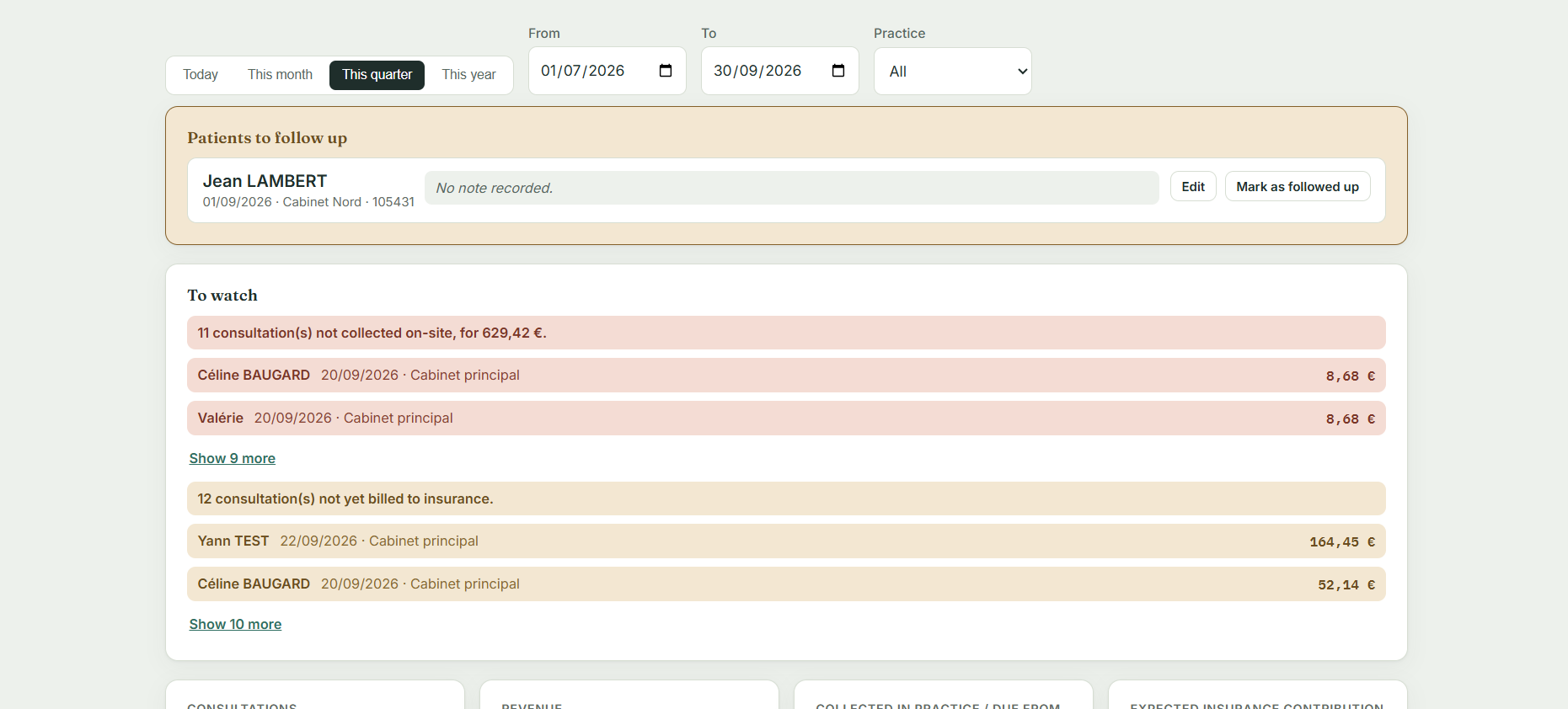
Consultations, revenue, amounts collected at the practice and expected insurance reimbursement: the dashboard gives the state of the chosen period, with the breakdown by practice, by examination and by payment method.
- Annual and monthly targets, with progress bars
- The pace needed to reach your target, calculated for you
- A tracking start date mid-year can be taken into account
- Alerts on consultations neither paid nor billed
- List of patients to call back

07 — Export
An Excel export your accountant understands
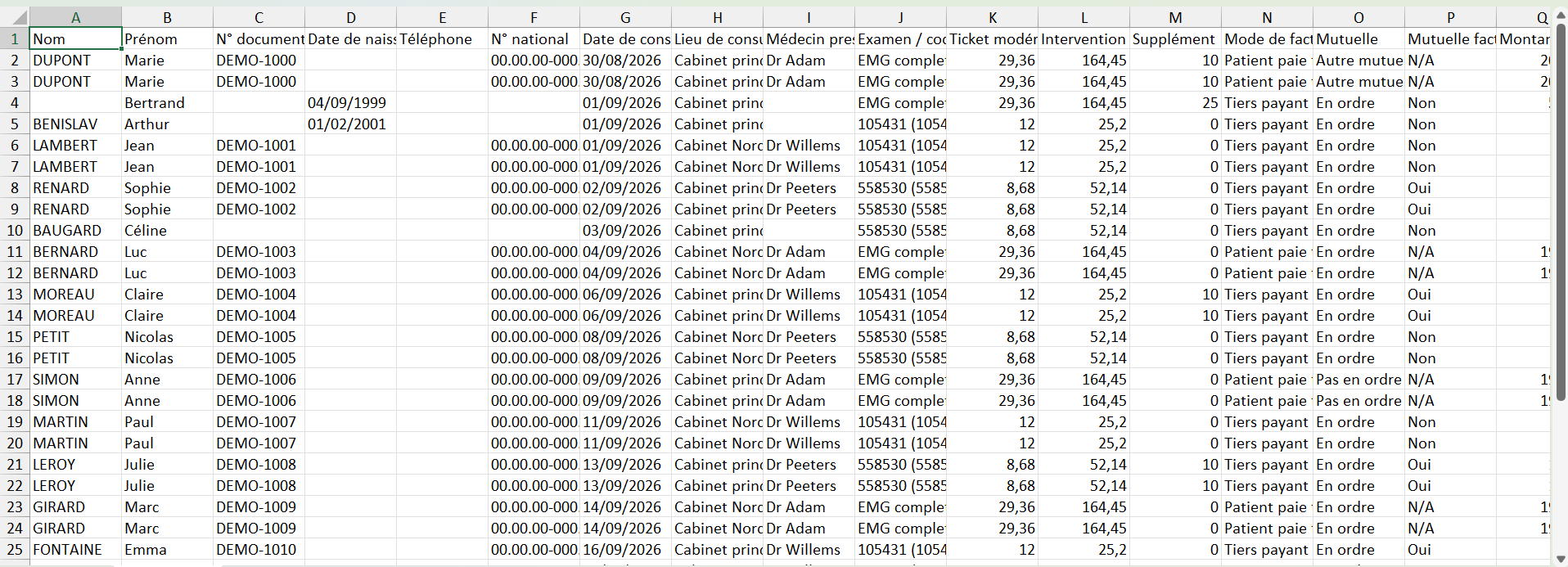
The export contains everything recorded in Patiflo: patient, date of birth, national register number, consultation date, practice, referring doctor, codes, patient's own share, insurance reimbursement, supplement, billing mode, payment and insurance billing status.
- Export of the current selection or of the whole period
- Structured columns, ready to send, with no reformatting
- Other export layouts are possible: if your accountant expects a particular format, it can be added
- At year end, closing the books no longer means rebuilding the year
It is also your archive. Export your year every January: you get a complete file of your activity, across every practice, which you keep yourself. It depends neither on the practice you will one day leave, nor on Patiflo — any spreadsheet will still open it in ten years.
08 — Setup
Your practices, your codes, your tariffs
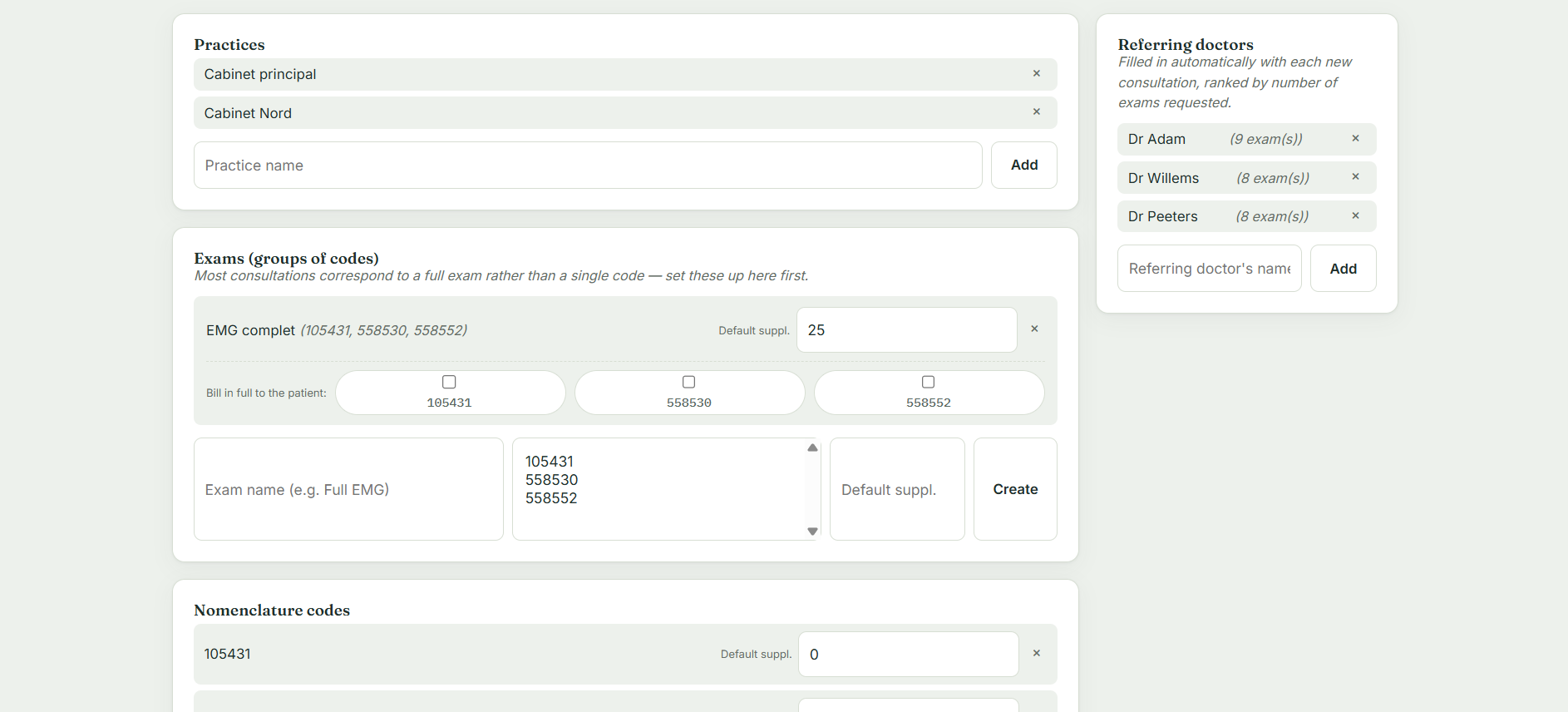
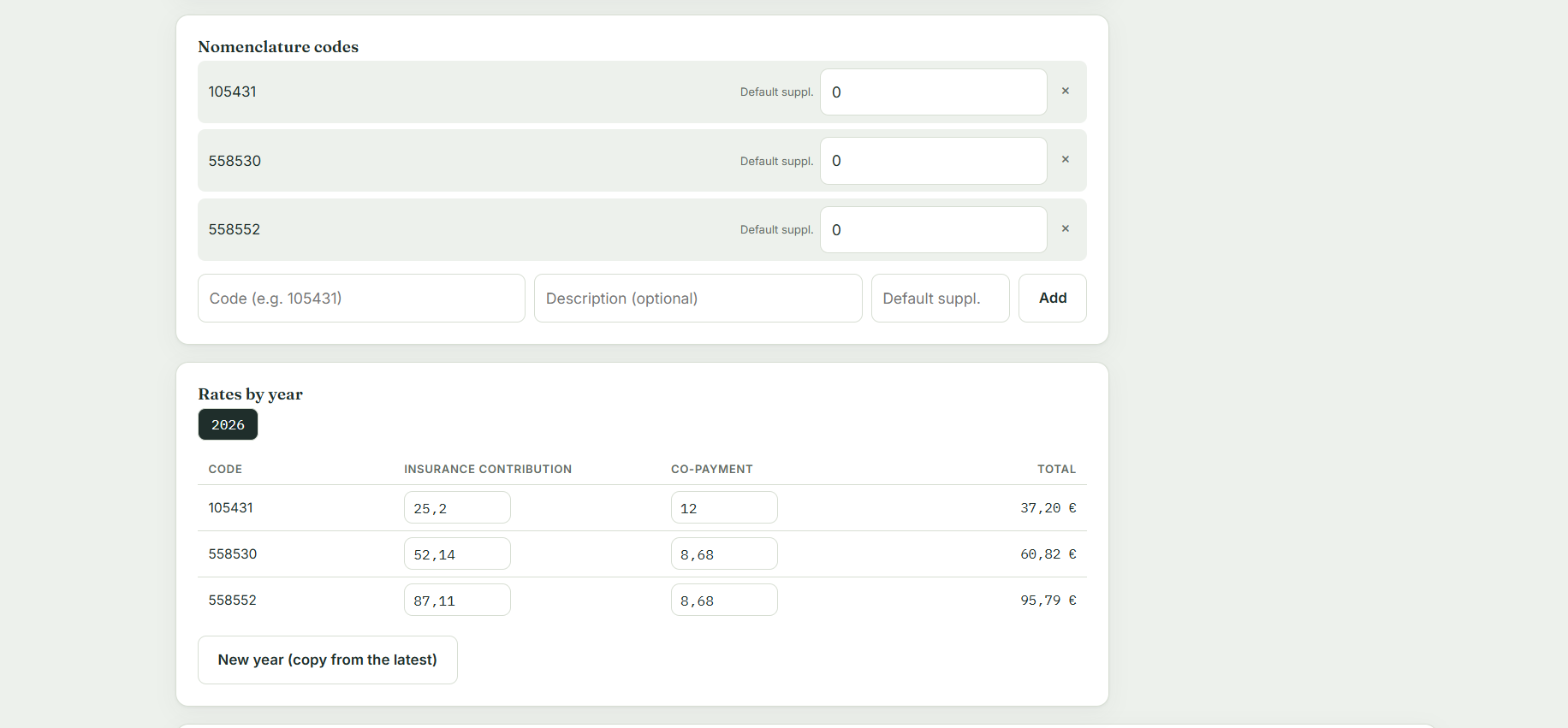
Patiflo adapts to how you work: your practices, your examinations — one examination may group several nomenclature codes — and your tariffs per year. The list of referring doctors builds up as you record consultations.
- Any number of practices
- Examinations made up of several codes, with a default supplement
- Tariffs per year, carried over from one year to the next
- The initial setup is done with you during the beta phase
09 — Languages
In English, French and Dutch
The application is fully translated into all three languages. Each practitioner picks theirs when creating an account and can change it at any time, without losing data or configuration. In a practice where several practitioners share the same calendar, everyone keeps the language that suits them.
- Interface, labels and messages fully translated
- Language changed instantly from your account
- Calls and guidance sessions are held in French or English
10 — Sign-in
A two-step sign-in, every time
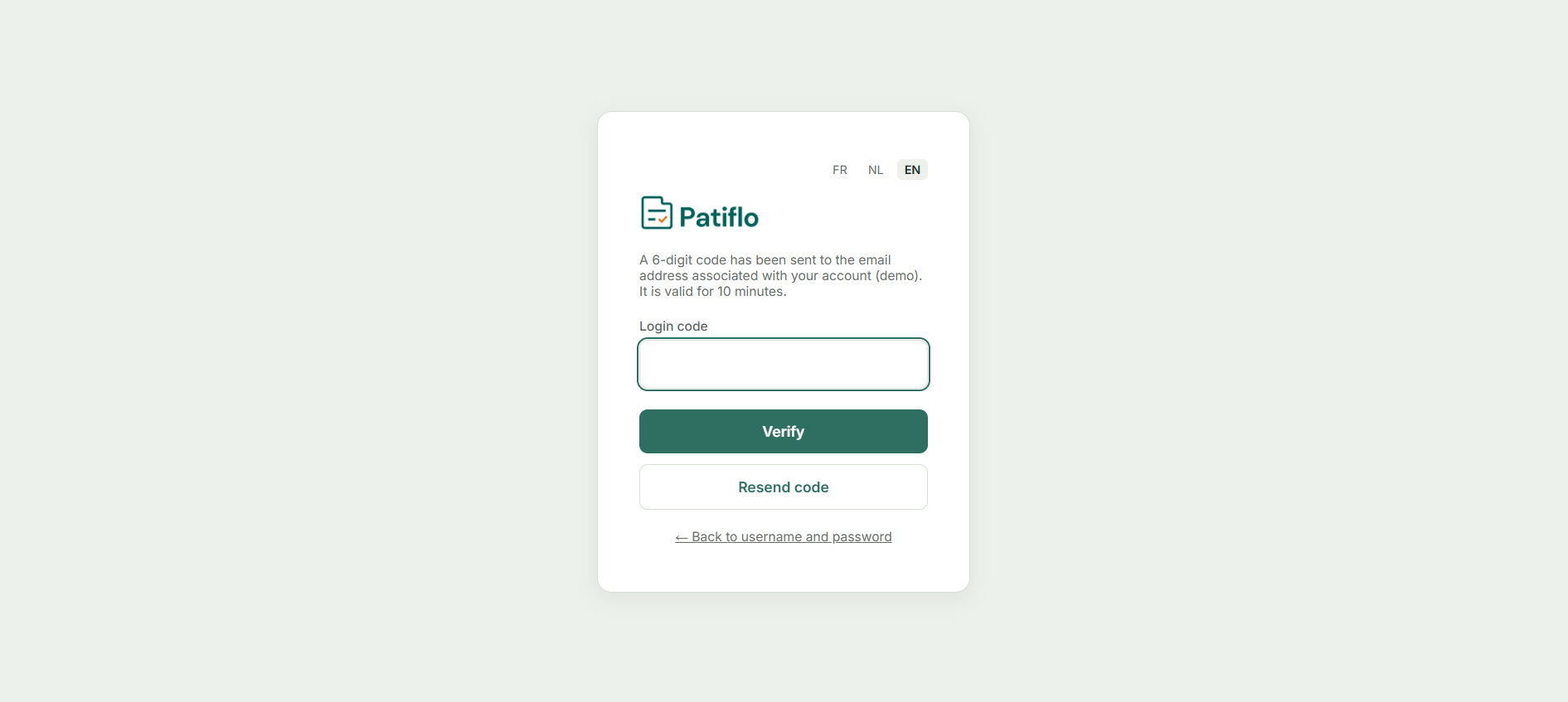
After your password, Patiflo sends a six-digit code to the e-mail address on your account. It is valid for ten minutes. Without that code, even a stolen password opens nothing.
- One-time code sent by e-mail at every sign-in
- Valid for ten minutes, resent in one click
- Passwords hashed with bcrypt, never stored in clear text
- Encrypted connection (HTTPS) and data hosted in Switzerland
11 — Mobile
Usable from a phone
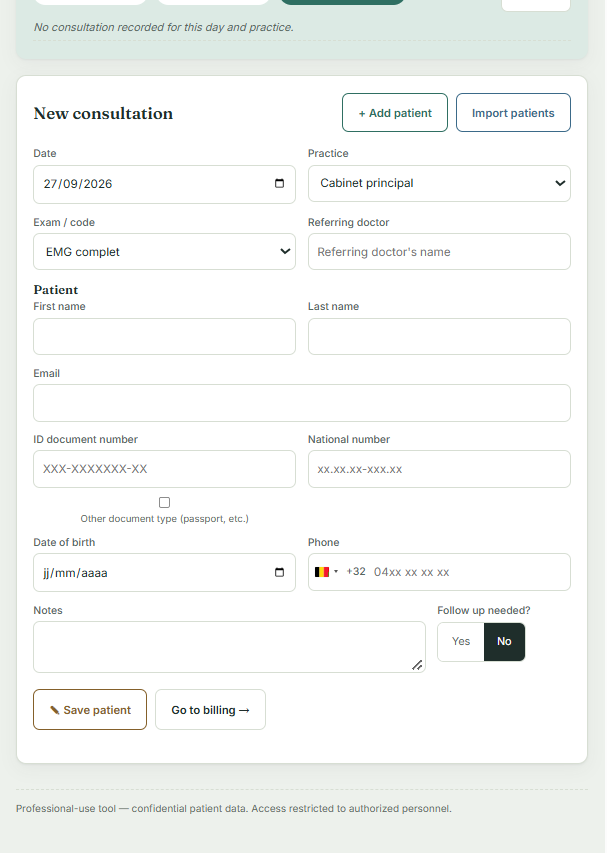
Data entry also works on a smartphone screen: between two practices, in a waiting room, or in the evening to fill in what is missing. There is nothing to install — you simply open the application in your phone's browser.
Beta programme
The simplest way is still to try it on your own consultations
Free access during the beta phase, setup done with you, and 20 % off for two years after the launch.